
The iPhone 17 Pro Max is built around a complex architecture that combines the A19 Pro chip, triple 48 MP camera system, advanced thermal management, LiDAR depth sensing, and high-density battery design. Repairing this device requires model-specific diagnostics, micro-soldering capability, and post-repair calibration to restore full functionality.
Our repair process is designed to identify root causes, not just symptoms, ensuring that every repair restores performance, safety, and reliability. We handle both common and complex faults, including issues that may not be immediately visible during initial inspection.
Repair timelines vary depending on fault complexity and part availability.
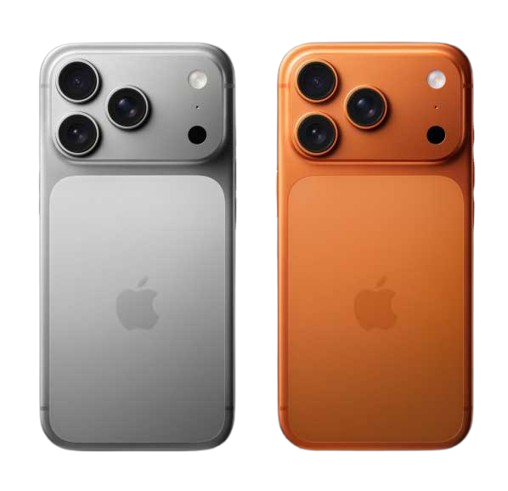
Before any repair, we perform a multi-stage diagnostic that includes:
Hardware integrity testing (power rails, logic board health, sensor checks)
Thermal analysis for overheating patterns
Battery cycle and impedance testing
Camera and LiDAR calibration checks
Charging circuit evaluation
Software diagnostics to rule out firmware faults
This ensures accurate fault isolation, especially important in newer devices where multiple subsystems are interdependent.
The camera system integrates large sensors, sensor-shift stabilization, autofocus motors, and computational photography pipelines. Camera issues can originate from mechanical damage, sensor failure, flex cable faults, or logic board communication errors.
Blurry or unstable images due to stabilization failure
Autofocus hunting caused by actuator damage
Black screen or camera not opening from sensor communication faults
Lens scratches or internal dust affecting image clarity
Camera shaking after drop impact
LiDAR misalignment affecting portrait depth accuracy
Software crashes linked to camera drivers
Camera module inspection under magnification
Flex cable continuity testing
Replacement with compatible high-precision module where required
Sensor alignment and optical calibration
Software recalibration to restore computational photography features
Post-repair testing verifies focus accuracy, stabilization performance, and image processing integrity.
The Super Retina XDR display uses a high-brightness OLED panel with ProMotion refresh and integrated touch layers. Damage can affect display output, touch responsiveness, or True Tone functionality.
Cracked or shattered glass
Dead pixels or vertical lines
Flickering or brightness instability
Touch lag or ghost touches
Loss of True Tone calibration
Screen assembly replacement using precision tools
Display data transfer to maintain calibration where applicable
Brightness and color uniformity testing
Touch latency verification
The high-capacity battery operates with advanced power management circuits. Performance issues can stem from cell degradation, charging IC faults, or thermal stress.
Rapid battery drain
Unexpected shutdowns under load
Overheating during charging
Slow or inconsistent charging
Battery health warnings
Battery health diagnostics
Safe battery replacement
Charging circuit inspection
Power calibration testing
The device uses multiple microphones for calls, recording, noise cancellation, and voice commands. Issues may arise from debris blockage, liquid exposure, flex cable damage, or audio circuit faults.
Caller unable to hear your voice clearly
Muffled or distorted audio
Microphone not responding in apps
Low input volume or intermittent dropouts
Background noise not filtered
Microphone port inspection and precision cleaning
Audio input testing
Flex cable diagnostics
Software checks
Component replacement where required
Post-repair testing confirms stable microphone performance.
The device uses multiple microphones for calls, recording, noise cancellation, and voice commands. Issues may arise from debris blockage, liquid exposure, flex cable damage, or audio circuit faults.
Speaker issues can result from dust accumulation, liquid exposure, mechanical damage, or internal circuit faults.
Low or distorted sound
No audio output
Crackling or buzzing
Reduced volume
Speaker inspection and cleaning
Audio testing
Connector diagnostics
Module replacement where required
Connectivity depends on antenna systems, RF circuitry, and software configuration.
Weak or no signal
Dropped calls
Device not detecting network
Intermittent connectivity
Antenna diagnostics
SIM and network checks
Hardware inspection
Live network testing
USB-C charging involves port contacts, controllers, and power negotiation circuits.
Device not charging
Loose connection
Data transfer failures
Accessory detection issues
Cleaning, port replacement, or board-level repair is performed depending on fault origin.
Wireless connectivity relies on integrated modules and antenna systems.
Pairing failures
Frequent disconnections
Audio dropouts
Limited range
Wireless diagnostics
Software checks
Antenna evaluation
Functional testing
Liquid exposure can cause corrosion and short circuits if not treated promptly.
Internal inspection
Controlled cleaning
Component testing
Stability testing
Complex failures such as no power, boot loops, or persistent faults often originate at the board level.
Micro-soldering repairs
Power rail reconstruction
Component replacement
Signal path diagnostics
Modern iPhones use reinforced rear glass panels that support wireless charging and internal structural alignment. Impact damage to the back glass can compromise device durability and expose internal components to dust or moisture.
Cracked or shattered rear glass
Loose or lifted back panel after impact
Damage affecting wireless charging performance
Sharp edges or structural instability
Cosmetic damage reducing device value
Careful removal of damaged rear glass
Surface preparation and residue cleaning
Installation of precision-fitted replacement panel
Structural alignment verification
Wireless charging functionality testing
Post-repair testing ensures secure panel fit, stable charging performance, and restored structural integrity.
Overheating may result from excessive load, battery faults, or hardware inefficiencies. Thermal analysis helps determine the underlying cause.
Device storage remains protected wherever possible. Backup is recommended prior to service.
Every device undergoes:
Full functional testing
Sensor verification
Connectivity checks
Camera and audio testing
Thermal monitoring
This ensures reliable operation before return.
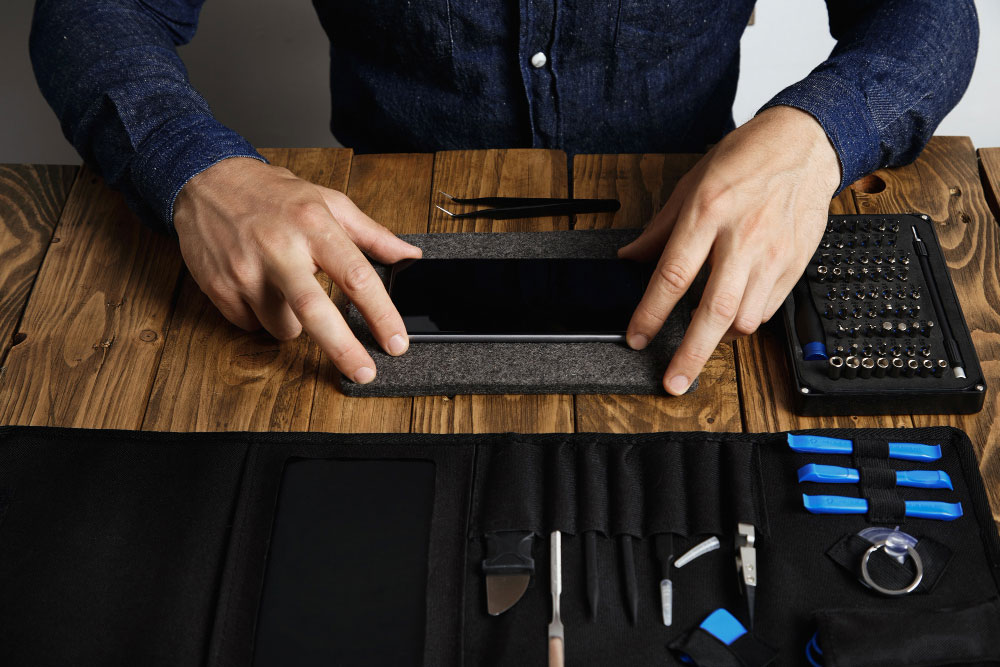
Modern smartphones integrate tightly coupled hardware and software systems. Improper repair can lead to:
Sensor calibration loss
Reduced performance
Battery safety risks
Long-term reliability issues
Precision repair preserves device longevity and functionality.
Yes. During diagnostics, we evaluate the device as a whole, since problems can sometimes be connected, for example, power issues affecting performance or connectivity. This approach helps ensure that underlying faults are identified and addressed rather than fixing only one symptom.
After completing the repair, the device goes through functional testing that includes checking sensors, connectivity, camera, audio, charging, and thermal behavior. This verification step helps confirm that the repair has restored stable operation before the device is returned.
We provide a door step service for your iPhone repair and service at dhoa, so no matter where you are, there is no excuse to not choose Apple Service and Repairs Center Way To Fix iphone repair service in qatar
Our parts are of the highest quality and this allows us to offer you a limited warranty on the device for all parts, except the battery
Diagnosis of your device is absolutely free of cost and there are no hidden charges whatsoever, for door step service contact us to get your device fixed.
Apple Service and Repairs Center Way To Fix is the fastest and the best rated service provider for all Apple Service in Doha and Qatar. Select the device and the issue you wish to get repaired and watch how we bring your device back to life!
