
iPad mini 5 Device Repair Center in Doha

iPad mini 5 Repair Assessment and Hardware Service in Doha

The iPad mini 5 features a fully laminated 7.9-inch Retina display with True Tone and Wide Color (P3), so any damage to the front glass or display assembly can affect image accuracy, touch response, and Apple Pencil input. Issues such as cracked glass, True Tone failure, touch delays, or a blank screen can disrupt everyday use and make the device hard to operate.

Our technicians start with a full inspection of the display condition to determine whether the fault is with the glass, touch layer, display panel, lamination, or internal connection.

iPad mini 5 Device Diagnosis and Repair

Every iPad mini 5 goes through a thorough hardware check before repair. This prevents misdiagnosis and ensures the underlying fault — not just the visible symptom — is what gets fixed.

What the Diagnostic Covers

  • Physical frame, glass, and port condition
  • Touch ID accuracy and fingerprint enrolment response
  • True Tone and Wide Color display integrity and touch performance
  • Apple Pencil pairing and input response check
  • Battery capacity, charge behavior, and thermal output
  • 8MP rear camera and 7MP FaceTime HD camera function
  • Stereo speaker output and dual microphone performance
  • Headphone jack and Lightning port condition
  • Wi-Fi (802.11ac), Bluetooth 5.0, and cellular signal where applicable
  • eSIM and Nano-SIM status on cellular models
  • Gyroscope, accelerometer, and ambient light sensor checks
  • iPadOS software state, boot behavior, and app stability

iPad mini 5 Display and Screen Repair

The iPad mini 5 uses a fully laminated 7.9-inch Retina display. The laminated construction bonds the glass and panel together, so damage to either layer typically requires full assembly replacement.
Common Screen Issues
  • Cracked or shattered front glass
  • Touch input unresponsive or registering incorrectly
  • True Tone or color accuracy no longer functioning
  • Apple Pencil input not registering on the display
  • Flickering, banding, or unstable image output
  • Dead pixels, pressure marks, or dark patches
  • Screen showing no image with device powered on
  • Uneven brightness or backlight failure
  • Ghost touch or erratic touch behavior
What the Screen Check Includes
  • Full laminated display assembly inspection
  • Touch and Apple Pencil input accuracy testing
  • True Tone and Wide Color output verification
  • Brightness uniformity and backlight check
  • Internal display connector and cable review
  • Repair recommendation based on damage extent

iPad mini 5 Apple Pencil Repair and Pairing Issues

The iPad mini 5 supports Apple Pencil, which connects via the Lightning port and is used for writing, drawing, and precision input. Pairing failures, unresponsive input, or hardware faults can prevent the Pencil from functioning correctly with the device.
Common Apple Pencil Issues
  • Apple Pencil not pairing with the iPad mini 5
  • Pencil input not registering on the display
  • Inconsistent or intermittent Pencil response
  • Pencil tip worn down or physically damaged
  • Lightning adapter on Pencil not connecting properly
  • Pencil not charging via the Lightning port
  • Pressure sensitivity not working as expected
Repair Process Includes
  • Apple Pencil pairing and Bluetooth connection test
  • Display touch and Pencil input layer response check
  • Lightning port charging and data connection review
  • Pencil tip and hardware condition inspection
  • Service recommendation based on the identified fault

iPad mini 5 Camera Repair

The iPad mini 5 has an 8MP rear camera, alongside a significantly upgraded 7MP front FaceTime. Faults in either camera affect photography, video, Live Photos, and FaceTime quality.
Common Camera Issues
  • Rear camera not launching or displaying a black screen
  • Front 7MP camera failing to open or producing no image
  • Live Photos not capturing motion or audio
  • Autofocus failing or producing consistently blurred output
  • Slo-mo recording at 240fps not working correctly
  • Wide Color or HDR output appearing incorrect
  • Retina Flash not activating on front camera
  • Camera app crashing or freezing during use
  • Lens damage causing visual distortion or flare
Repair Process
  • Rear and front camera module inspection
  • Launch response, focus, and stabilization testing
  • Live Photos, slo-mo, and HDR function check
  • Front camera Retina Flash and video quality review
  • Wide Color capture accuracy verification
  • Service based on the identified fault

iPad mini 5 Touch ID and Home Button Repair

Touch ID handles device unlocking, app data security, App Store and iTunes purchases, and Apple Pay authentication. A fault here limits access to the device and blocks key security and payment functions.

Common Touch ID and Home Button Issues
  • Fingerprint not being recognized reliably
  • Home button physically unresponsive or stuck
  • Touch ID failing to complete Apple Pay authentication
  • Fingerprint enrolment process not finishing
  • Button press requiring excessive force to register
  • Home button feeling loose or mechanically damaged
  • Touch ID error appearing repeatedly after setup
Repair Process
  • Touch ID sensor response and recognition accuracy test
  • Home button mechanical condition and press verification
  • Apple Pay and app authentication check
  • Fingerprint enrolment completion test
  • Service applied based on the confirmed fault

iPad mini 5 Volume Button Repair

The volume buttons on the iPad mini 5 manage audio levels across media, calls, and system notifications. A fault can make manual volume adjustment impossible and disrupt audio control during everyday use.
Common Volume Button Issues
  • Volume buttons not registering any input
  • Volume changing automatically without user interaction
  • Button travel blocked or physically stiff
  • Inconsistent or delayed button response
  • Only one button working while the other fails
  • Visible damage to the button area from impact
Repair Process Includes
  • Individual button press and registration test
  • Spontaneous volume change behavior check
  • Mechanical condition and travel inspection
  • Audio level response verification after service
  • Repair based on the specific fault found

iPad mini 5 Power and Startup Repair

Power faults on the iPad mini 5 can stem from the A12 Bionic power management system, the battery, or the logic board. Accurate diagnosis is critical to distinguish between a software boot issue and a hardware power fault.

Common Power Issues
  • Device completely failing to power on
  • Stuck on the Apple logo during startup
  • Unexpected shutdowns at partial or full battery charge
  • Spontaneous reboots during normal use
  • Power button not responding when pressed
  • Black screen with no display output on startup
Repair Process Includes
  • Power button response and registration check
  • Boot sequence and startup behavior review
  • Power rail, charging circuit, and voltage testing
  • Shutdown and reboot pattern analysis
  • Service based on the identified root cause

iPad mini 5 Software Troubleshooting

Software faults on the iPad mini 5 can follow an iPadOS update, a failed restore, or accumulated system errors over time.
Problems We Resolve
  • Device freezing or becoming unresponsive during use
  • Apps crashing on launch or closing unexpectedly
  • Noticeable performance drop during regular tasks
  • Device stuck on the iPadOS update or recovery screen
  • Touch input delays or UI lag caused by software
  • Continuous reboot loop with no access to the home screen

iPad mini 5 Battery Repair

A worn battery can cause erratic shutdowns, inaccurate charge readings, and reduced screen-on time well before the battery visually reads empty.
Common Microphone Issues
  • Battery draining significantly faster than expected
  • Device shutting down at 20%, 30%, or higher charge levels
  • Not charging or only charging when completely stationary
  • Battery percentage jumping or displaying incorrect values
  • Swollen battery causing screen to lift or body to separate
  • Excessive heat during charging or during active use
Repair Process Includes
  • Battery health, capacity, and voltage assessment
  • Charge cycle count and drain pattern review
  • Swelling and thermal behavior inspection
  • Charging circuit and power input testing
  • Battery replacement and post-service verification

iPad mini 5 Microphone Repair

Microphone faults affect FaceTime call clarity, video audio capture, Siri recognition, and voice dictation.

Common Microphone Issues
  • Other party unable to hear clearly on FaceTime or audio calls
  • No audio captured in video or slo-mo recordings
  • One microphone picking up sound while the other is silent
  • Voice input coming through distorted or broken
  • Microphone dropping in and out during calls
  • Siri and dictation failing to detect or process speech
Repair Process
  • Both microphone units tested independently
  • Call audio and video recording input quality check
  • Siri and dictation voice detection test
  • Microphone pickup sensitivity and clarity review

iPad mini 5 Speaker Repair

The iPad mini 5 features stereo speakers for balanced audio output across media, calls, and alerts. A fault in either channel produces uneven or degraded sound that affects the overall listening experience.
Common Speaker Issues
  • No audio output from one or both speaker channels
  • Volume noticeably lower than it should be
  • Crackling, distortion, or rattling at any volume level
  • Stereo balance lost — sound only from one side
  • Audio cutting in and out during playback
  • Muffled output unaffected by volume adjustment
Repair Process Includes
  • Left and right speaker channel output tested separately
  • Sound clarity, balance, and volume level assessment
  • Stereo performance and audio quality verification
  • Service based on the identified speaker fault

iPad mini 5 Charging Port Repair

The iPad mini 5 uses a Lightning connector for charging and data transfer. Port damage or debris can block charging, prevent sync with a Mac or PC, and interrupt accessory connections.

Common Charging Port Issues
  • Device not charging despite a cable being plugged in
  • Charging only working when the cable is positioned at an angle
  • Lightning cable not fitting securely in the port
  • Charging speed noticeably slower than normal
  • Mac or PC not detecting the iPad when connected
  • Visible debris, lint, or corrosion inside the port
Repair Process Includes
  • Lightning port physical and contact condition check
  • Charge initiation and sustained charging behavior test
  • Data sync and computer detection review
  • Port cleaning or replacement based on the fault

iPad mini 5 Headphone Jack Repair

The iPad mini 5 retains the 3.5mm headphone jack for wired audio. Jack faults interrupt music playback, call audio routing, and any wired output use.
Common Headphone Jack Issues
  • No audio through connected headphones
  • Sound playing from one ear only
  • Headphones not being recognized by the device
  • Audio cutting out when the plug shifts
  • Static or distortion through wired output
  • Device remaining in headphone mode with nothing plugged in
Repair Process Includes
  • Headphone jack socket and contact condition check
  • Wired audio detection and output quality test
  • Left and right channel balance verification
  • Headphone mode switching behavior review
  • Correction steps based on the specific fault

iPad mini 5 Water Damage Repair

Liquid exposure on the iPad mini 5 can affect multiple systems at once/ Early assessment significantly improves repair outcomes.
Problems We Resolve
  • Device unresponsive after liquid or moisture exposure
  • Charging failure following liquid contact
  • Distorted or absent audio from speakers or microphones
  • Display discoloration, lines, or no image after water ingress
  • Touch ID and Home button failure after moisture entry
  • Corrosion on board connectors or internal components

Logic Board and Chip-Level Repair

Board-level faults can disrupt power delivery, display output, Touch ID, camera function, and connectivity, and require component-level diagnosis to resolve.
Problems We Resolve
  • Complete failure to power on
  • No response from the charging circuit
  • Permanent Apple logo or boot loop
  • No display output with the device otherwise active
  • Touch ID failure linked to a board-level connection fault
  • Camera, Wi-Fi, or Bluetooth failure traced to the logic board
  • Intermittent or unstable power behavior

iPad mini 5 Body and Frame Repair

The frame is thin enough to be vulnerable to bending under pressure. Frame distortion can misalign the screen, shift buttons, and stress internal cables.
Common Body Damage Issues
  • Bent or warped aluminum frame
  • Cracked or dented rear housing
  • Screen no longer sitting flush after a drop or bend
  • Button misalignment following impact
  • Corner or edge damage affecting port access
  • Surface finish wear or deep scratches on the back panel
Repair Process Includes
  • Frame alignment and straightness check
  • Rear housing and finish condition assessment
  • Screen seating and fit evaluation
  • Button position and alignment review

Overheating Diagnosis: Thermal System

Overheating may result from heavy usage, battery faults, charging issues, or internal hardware inefficiencies. Thermal evaluation helps identify the underlying cause and supports accurate repair.

Data Safety Protocol

Device storage remains protected wherever possible during repair. As a precaution, backup is recommended prior to service.

Post-Repair Quality Assurance

Every device undergoes:

Full functional testing

Sensor verification

Connectivity checks

Camera and audio testing

Thermal monitoring

This helps ensure reliable operation before return.
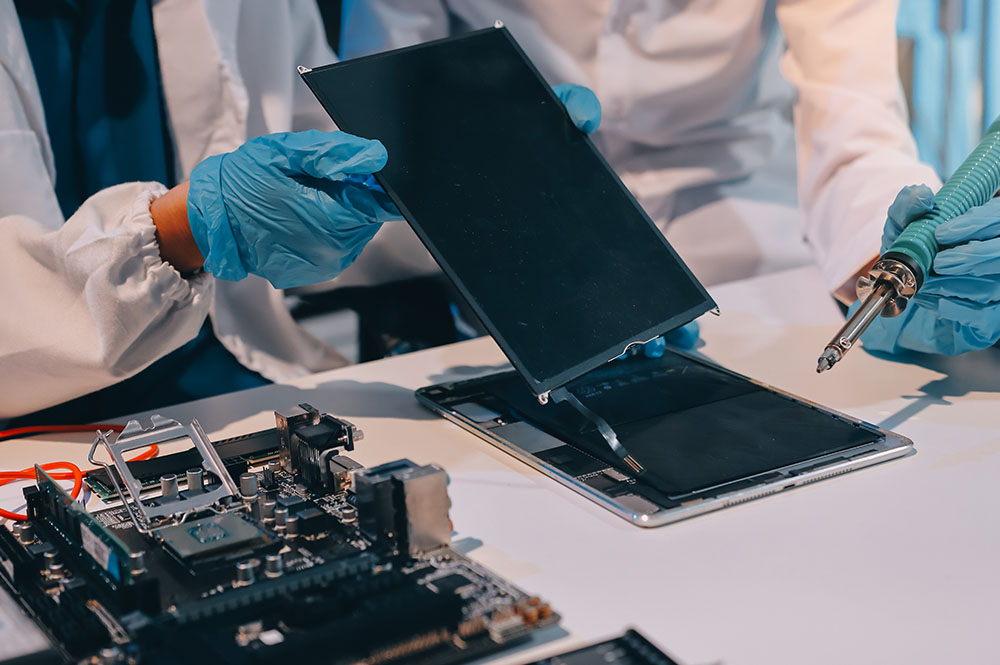
Why Expert Repair Matters for iPad Devices

Modern iPads integrate closely connected hardware and software systems. Improper repair can lead to:

Sensor calibration loss

Reduced performance

Battery safety risks

Long-term reliability issues

Precision repair helps preserve device longevity and stable functionality.

Frequently Asked Questions

1. How do you figure out what’s actually wrong with my iPad before repairing it?

We begin with a structured diagnostic process that checks hardware condition, battery performance, thermal behavior, sensors, charging function, and software stability. This helps identify the root cause instead of relying only on visible symptoms. Once the issue is confirmed, the appropriate repair solution can be carried out.

Repairs are handled in a way that protects device storage wherever possible. Since certain problems, especially power-related or logic board faults, may involve some risk, backing up your data beforehand is always recommended. The repair process is approached carefully to reduce any impact on stored information.

A wide range of iPad issues can be addressed, including screen damage, battery problems, charging faults, camera issues, speaker or microphone failure, network and connectivity problems, overheating, water damage, and logic board faults. If the issue is unclear, diagnostic testing helps identify less obvious hardware or internal defects.

Yes. During diagnosis, the device is evaluated as a whole because multiple faults can sometimes be linked. For example, battery or charging problems may also affect performance, heat levels, or connectivity. This approach helps ensure that the full condition of the iPad is assessed instead of focusing on only one symptom.

After repair, the device goes through functional testing to verify key features such as sensors, connectivity, camera, audio, charging, and thermal behavior. This final evaluation helps confirm that the repair has restored proper operation and that the iPad is ready for reliable everyday use.

What do I get from my iPad repair?

Call Us for Apple Door Step Support

We provide a door step service for your iPad repair and service at dhoa, so no matter where you are, there is no excuse to not choose Apple Service and Repairs Center Way To Fix iPad repair service in qatar

100% Quality Parts

Our parts are of the highest quality and this allows us to offer you a limited warranty on the device for all parts, except the battery

No Minimum Services Charges

Diagnosis of your device is absolutely free of cost and there are no hidden charges whatsoever, for door step service contact us to get your device fixed.

Apple Premium service Centre

Apple Service and Repairs Center Way To Fix is the fastest and the best rated service provider for all Apple Service in Doha and Qatar. Select the device and the issue you wish to get repaired and watch how we bring your device back to life!

×