
iPad Pro 3rd Gen Repair and Diagnostic Services in Doha

Advanced iPad Pro 3rd Gen Repair in Doha

The iPad Pro 11-inch (3rd generation) brings major hardware upgrades in a slim body, including the M1 chip, Thunderbolt/USB 4 connectivity, LiDAR Scanner, Face ID, ProMotion display technology, and support for high-performance accessories. When a device with this level of integration develops a fault, accurate diagnosis becomes essential before any repair is carried out.

We provide model-specific repair support for the iPad Pro 11-inch (3rd generation), covering everything from cracked displays and weak batteries to charging faults, camera issues, connectivity problems, and internal board damage. Each device is examined carefully so the repair matches the actual cause of failure instead of just the visible symptom.
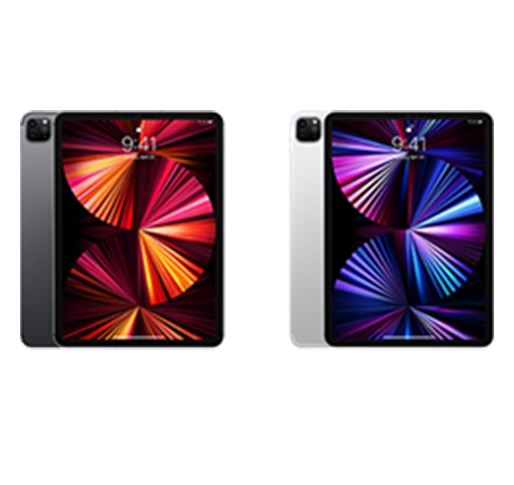
iPad Pro (3rd Gen) Complete Device Inspection

Before any component is repaired or replaced, the iPad is checked as a whole unit. This helps detect hidden impact damage, linked faults, and internal issues that may not be obvious from the outside.

What the Inspection Covers

  • External frame condition and signs of drop damage
  • Battery health, power behavior, and charging response
  • Display clarity, touch accuracy, refresh smoothness, and brightness stability
  • Front camera system and Face ID operation
  • Rear camera performance and LiDAR response
  • Speaker balance and microphone pickup quality
  • Thunderbolt/USB 4 port condition and wired connection behavior
  • Wireless performance including Wi-Fi, Bluetooth, and cellular-related checks where applicable
  • Smart Connector and magnetic accessory alignment
  • Software condition, startup behavior, and internal fault tracing

iPad Pro (3rd Gen) Screen Repair

The iPad Pro 11-inch (3rd gen) features a fully laminated Liquid Retina display with ProMotion, True Tone, wide color, and anti-reflective coating. Because the display layers are integrated, front damage often affects the complete screen assembly.

Common Display Problems
  • Front glass cracked after impact
  • Touch response delayed or missing in certain areas
  • Black spots, vertical lines, or pressure marks on the panel
  • Screen flickering during use
  • Display turning on with no image clarity
  • Uneven brightness across the panel
  • Ghost input or false touch activity
  • True Tone not behaving normally
  • Motion looking less smooth than expected
Repair Process Includes
  • Checking the extent of glass and panel damage
  • Testing touch function across the entire display area
  • Inspecting image quality, brightness, and refresh behavior
  • Reviewing connector seating and internal display lines
  • Confirming True Tone and related display behavior where applicable
  • Replacing the full display assembly when the damage affects the integrated screen unit

iPad Pro (3rd Gen) Camera Repair

This model includes a 12MP Wide camera, 10MP Ultra Wide camera, and advanced front camera hardware used for Face ID and video features. Camera faults affect photos, video, scanning, and calls.
Common Camera Problems
  • Rear camera not opening
  • Black screen in camera app
  • Blurry or unfocused photos
  • Lens switching issue
  • Face ID not setting up
  • Face unlock not working
  • “Face ID Not Available” error
  • Video recording fault
  • Flash not responding
  • Front camera not working
  • Camera app freezing
Repair Process Includes
  • Rear camera testing
  • Front camera testing
  • Focus and image quality checks
  • Lens switching review
  • Flash and video function check
  • Camera module repair or replacement

iPad Pro (3rd Gen) LiDAR Scanner Repair

The LiDAR Scanner supports depth sensing and AR-related functions. A fault can affect camera-assisted measurement and app performance.

Common Face ID Problems
  • AR apps not working properly
  • Depth sensing errors
  • Scanner issue after impact
  • Camera-assisted distance faults
  • Inconsistent performance in supported apps
Repair Process
  • LiDAR response testing
  • Depth accuracy checks
  • Scanner area inspection
  • Camera interaction review
  • Repair or replacement based on fault

iPad Pro (3rd Gen) Volume Button Repair

The side volume buttons should respond smoothly and consistently. Button faults can affect audio control and usability.

Common Volume Button Problems
  • Volume up/down not responding
  • Buttons stuck or hard to press
  • Loose button feel
  • Irregular volume change
  • Button damage after impact
Repair Process
  • Button response testing
  • Button alignment inspection
  • Flex cable check
  • Internal contact review
  • Repair or replacement as needed

iPad Pro (3rd Gen) Power Button and Startup Repair

The top button manages wake and power functions, while startup also depends on battery condition, charging input, and internal board health.
Common Power Button Problems
  • Power button not responding
  • No tactile feedback
  • iPad not turning on
  • Stuck on logo
  • Repeated restart loop
  • Random shutdowns
  • Black screen during startup
Repair Process Includes
  • Power button testing
  • Flex and connector inspection
  • Battery condition review
  • Charging path check
  • Boot and recovery diagnosis
  • Board-level power testing if needed

iPad Pro (3rd Gen) Software Troubleshooting and Repair

Software issues may affect speed, startup, app stability, and system behavior even when the hardware is physically fine.
Common Software Problems
  • Freezing during use
  • App crashes
  • Update or restore errors
  • Recovery loop
  • System lag
  • Touch becoming unresponsive during software failure
Repair Process Includes
  • System behavior review
  • Update and restore testing
  • Startup fault diagnosis
  • Separation of hardware and software issues
  • Proper recovery based on fault type

iPad Pro (3rd Gen) Battery Replacement

The iPad Pro 11-inch (3rd generation) has a built-in 28.65Wh lithium-polymer battery. Lower battery health can reduce backup time and cause unstable power behavior.

Common Battery Problems
  • Fast battery drain
  • Sudden shutdowns
  • Charge percentage dropping quickly
  • Works only when plugged in
  • Battery swelling
  • Heating during charging or use
Repair Process Includes
  • Battery health testing
  • Charge cycle behavior review
  • Charging stability checks
  • Thermal monitoring
  • Battery replacement when required

iPad Pro (3rd Gen) Microphone Repair

This model includes five microphones for calls, recording, voice input, and video capture. Microphone faults reduce recording and call clarity.
Common Microphone Problems
  • Low voice on calls
  • Microphone not picking up sound
  • Distorted recordings
  • Audio cutting in and out
  • Siri not responding properly
  • Fault after moisture exposure
Repair Process Includes
  • Microphone path testing
  • Recording clarity check
  • Blockage inspection
  • Audio input line review
  • Repair based on affected microphone

iPad Pro (3rd Gen) Speaker Repair

The four-speaker audio system is designed for balanced sound output. Speaker faults can affect media, alerts, and call audio.

Common Speaker Problems
  • No sound output
  • Low volume from one side
  • Distorted or crackling sound
  • Audio cutting in and out
  • Uneven sound balance
  • Speaker issue after liquid or drop
Repair Process Includes
  • Speaker channel testing
  • Volume and clarity checks
  • Distortion review
  • Speaker grille inspection
  • Internal audio connection testing

iPad Pro (3rd Gen) Thunderbolt / USB 4 Charging Port Repair

The Thunderbolt / USB 4 port handles charging, data transfer, accessory support, and display output. Port damage can affect several wired functions.

Common Port Problems
  • iPad not charging
  • Loose cable fit
  • Charging only at an angle
  • Data transfer failure
  • External display not responding
  • Visible port damage
Repair Process Includes
  • Port condition inspection
  • Charging response testing
  • Wired connection verification
  • Debris or corrosion check
  • Charging line and port repair assessment

iPad Pro (3rd Gen) Smart Connector Repair

The Smart Connector is used for supported keyboard accessories. A fault can stop proper accessory communication.
Common Smart Connector Problems
  • Keyboard not detected
  • Accessory disconnecting often
  • Pins damaged or dirty
  • Connected accessory not responding
  • Fault after impact or moisture exposure
Repair Process Includes
  • Connector function testing
  • Pin condition inspection
  • Internal connector path check
  • Repair based on connector condition

iPad Pro (3rd Gen) Wi-Fi and Bluetooth Repair

The iPad Pro 11-inch (3rd generation) supports Wi-Fi 6 and Bluetooth 5.0, while cellular models also support 5G. Wireless faults affect network access, pairing, and accessory stability.
Common Connectivity Problems
  • Wi-Fi disconnecting often
  • Weak signal
  • Bluetooth not pairing
  • Device disconnecting during use
  • Networks not showing
  • Slow wireless performance
  • Cellular instability on supported models
Repair Process Includes
  • Wi-Fi and Bluetooth testing
  • Signal stability checks
  • Pairing and detection review
  • Antenna and connector inspection
  • Software and hardware fault isolation

iPad Pro (3rd Gen) Pencil Pairing and Input Repair

The device supports magnetic pencil pairing and charging, along with precise stylus input on the display. Problems here can affect writing and drawing performance.

Common Pencil Problems
  • Pencil not pairing
  • Pencil not charging on the side
  • Input lag
  • Inaccurate writing response
  • Pressure or tilt issues
  • Pencil disconnecting during use
Repair Process Includes
  • Pairing and charging check
  • Magnetic side testing
  • Stylus input accuracy review
  • Pressure and tilt response testing
  • Software and hardware verification

iPad Pro (3rd Gen) Water Damage Repair

Liquid exposure can affect the screen, charging port, cameras, microphones, speakers, Face ID, LiDAR, and logic board. Some faults may appear later due to corrosion.

Common Water Damage Problems
  • iPad not turning on after liquid contact
  • Charging issue after spill
  • Display or touch fault
  • Distorted speaker or microphone sound
  • Face ID or camera problem
  • Heating or unstable behavior
  • Delayed corrosion-related faults
Repair Process Includes
  • Internal moisture inspection
  • Corrosion check
  • Affected part testing
  • Cleaning and fault isolation
  • Repair assessment at part or board level

iPad Pro (3rd Gen) Logic Board and Chip-Level Repair

The iPad Pro 11-inch (3rd generation) runs on the M1 chip, and internal board faults can affect power, charging, display, connectivity, and sensors together.
Common Logic Board Problems
  • No power despite confirmed charging
  • Blank display with partial power signs
  • Random restarts
  • Board-level charging fault
  • Multiple functions failing together
  • Heating caused by internal fault
Repair Process Includes
  • Logic board diagnosis
  • Power line testing
  • Charging rail inspection
  • Linked fault tracing
  • Chip-level or board-level repair where possible

iPad Pro (3rd Gen) Rear Housing and Back Frame Repair

Housing damage can affect structural fit, internal alignment, display seating, and port or button positioning.
Common Rear Housing Problems
  • Bent frame
  • Dented rear panel
  • Body misalignment after drop
  • Loose or lifted casing
  • Display fitment issue
  • Damage around port or button areas
Repair Process Includes
  • Rear body inspection
  • Frame alignment check
  • Surface condition review
  • Port and button fitment inspection
  • Repair scope based on body damage

Overheating Diagnosis: Thermal System

Overheating may result from heavy usage, battery faults, charging issues, or internal hardware inefficiencies. Thermal evaluation helps identify the underlying cause and supports accurate repair.

Data Safety Protocol

Device storage remains protected wherever possible during repair. As a precaution, backup is recommended prior to service.

Post-Repair Quality Assurance

Every device undergoes:

Full functional testing

Sensor verification

Connectivity checks

Camera and audio testing

Thermal monitoring

This helps ensure reliable operation before return.
Why Expert Repair Matters for iPad Devices

Modern iPads integrate closely connected hardware and software systems. Improper repair can lead to:

Sensor calibration loss

Reduced performance

Battery safety risks

Long-term reliability issues

Precision repair helps preserve device longevity and stable functionality.

Frequently Asked Questions

1. How do you figure out what’s actually wrong with my iPad before repairing it?

We begin with a structured diagnostic process that checks hardware condition, battery performance, thermal behavior, sensors, charging function, and software stability. This helps identify the root cause instead of relying only on visible symptoms. Once the issue is confirmed, the appropriate repair solution can be carried out.

Repairs are handled in a way that protects device storage wherever possible. Since certain problems, especially power-related or logic board faults, may involve some risk, backing up your data beforehand is always recommended. The repair process is approached carefully to reduce any impact on stored information.

A wide range of iPad issues can be addressed, including screen damage, battery problems, charging faults, camera issues, speaker or microphone failure, network and connectivity problems, overheating, water damage, and logic board faults. If the issue is unclear, diagnostic testing helps identify less obvious hardware or internal defects.

Yes. During diagnosis, the device is evaluated as a whole because multiple faults can sometimes be linked. For example, battery or charging problems may also affect performance, heat levels, or connectivity. This approach helps ensure that the full condition of the iPad is assessed instead of focusing on only one symptom.

After repair, the device goes through functional testing to verify key features such as sensors, connectivity, camera, audio, charging, and thermal behavior. This final evaluation helps confirm that the repair has restored proper operation and that the iPad is ready for reliable everyday use.

What do I get from my iPad repair?

Call Us for Apple Door Step Support

We provide a door step service for your iPad repair and service at dhoa, so no matter where you are, there is no excuse to not choose Apple Service and Repairs Center Way To Fix iPad repair service in qatar

100% Quality Parts

Our parts are of the highest quality and this allows us to offer you a limited warranty on the device for all parts, except the battery

No Minimum Services Charges

Diagnosis of your device is absolutely free of cost and there are no hidden charges whatsoever, for door step service contact us to get your device fixed.

Apple Premium service Centre

Apple Service and Repairs Center Way To Fix is the fastest and the best rated service provider for all Apple Service in Doha and Qatar. Select the device and the issue you wish to get repaired and watch how we bring your device back to life!

×