
MacBook Pro (13-inch & 15-inch, 2018)

MacBook Pro (13-inch & 15-inch, 2018) Service Center: Advanced Repair & Diagnostics

The MacBook Pro (13-inch, 2019) features a brilliant Retina display with True Tone technology, a sleek aluminum unibody design, Intel® Core™ i5/i7 quad-core processors (1.4GHz or 2.4GHz, configurable up to 2.8GHz), Intel Iris Plus Graphics (645 or 655), high-speed PCIe-based SSD storage, stereo speakers with wide stereo sound, and a Touch Bar with Touch ID. It includes two or four Thunderbolt 3 (USB-C) ports for charging, data transfer, and video output. Its advanced and compact architecture requires expert diagnostics and specialized tools for safe and reliable repair.

Comprehensive Diagnostic Process – MacBook Pro (2018)

Before initiating any repair, a detailed multi‑point inspection is conducted:
  • Display and True Tone functionality testing
  • Keyboard (3rd-generation Butterfly mechanism) and trackpad responsiveness check
  • Battery health and charging efficiency analysis
  • USB-C/Thunderbolt 3 port diagnostics
  • Touch Bar and Touch ID functionality testing
  • Logic board and internal circuitry evaluation
  • Cooling fan and thermal system inspection
  • Wi-Fi and Bluetooth connectivity verification
  • macOS performance and software diagnostics

This ensures precise issue identification in a high-performance laptop device.

Display & Screen Repair

The 13.3-inch Retina display offers a resolution of 2560×1600 with True Tone technology and high brightness for accurate color reproduction.

Common Issues
  • Cracked or damaged display
  • Flickering, dim, or no display
  • Color inconsistencies or dead pixels
Repair Process
  • Complete display assembly replacement
  • True Tone calibration
  • Post-repair display quality testing

Keyboard & Trackpad Repair

This model features a backlit 3rd-generation Butterfly keyboard and a large Force Touch trackpad for precise control.
Common Problems
  • Sticky or unresponsive keys
  • Double typing or key failure
  • Trackpad not clicking or erratic movement
Service Includes
  • Keyboard or top case replacement
  • Dust and debris cleaning
  • Full functionality testing

Battery & Power System Repair

The MacBook Pro (13-inch, 2019) is equipped with a built-in 58.2-watt-hour lithium-polymer battery designed for up to 10 hours of wireless web usage or video playback.
Common Camera Issues
  • Battery draining quickly
  • MacBook not charging
  • Unexpected shutdowns
Service Includes
  • Battery condition diagnostics
  • Safe battery replacement
  • Power system stability testing

USB‑C Port & Charging System Repair

This model uses Thunderbolt 3 (USB-C) ports for charging and connectivity, supporting high-speed data transfer and external displays.
Common Problems
  • Charging not detected
  • Loose or damaged USB-C ports
  • Intermittent charging issues
Service Includes
  • USB-C port inspection and cleaning
  • Port repair or replacement
  • Charging and data transfer testing

Logic Board / Motherboard Repair

The logic board integrates the processor, memory (8GB or 16GB onboard), graphics, and storage controller.
Common Problems
  • System not powering on
  • Random restarts or freezing
  • USB-C or display connectivity failures
Service Includes
  • Advanced logic board diagnostics
  • Component-level inspection and repair
  • Post-repair stability testing

Fan & Thermal Management Repair

Efficient cooling is essential to maintain performance in MacBook Pro systems.
Common Problems
  • Overheating during heavy use
  • Loud or constantly running fans
  • Performance throttling
Repair Includes
  • Fan cleaning or replacement
  • Thermal paste reapplication
  • Thermal system optimization

Water & Liquid Damage Repair

Liquid exposure can severely impact internal components.
Symptoms
  • Device not turning on
  • Keyboard or trackpad malfunction
  • Overheating or unusual behavior
Recovery Process
  • Internal cleaning and corrosion removal
  • Component-level repair
  • Full system restoration testing

Physical & Case Damage Repair

The slim aluminum design can be affected by accidental drops or pressure.
Common Issues
  • Dents, scratches, or bends
  • Hinge or display alignment issues
  • Frame damage affecting internal components
Repair Includes
  • Top case or chassis replacement
  • Hinge repair and alignment
  • Structural integrity testing

Overheating Diagnosis: Thermal System

Overheating may result from heavy usage, battery faults, charging issues, or internal hardware inefficiencies. Thermal evaluation helps identify the underlying cause and supports accurate repair.

Data Safety Protocol

Device storage remains protected wherever possible during repair. As a precaution, backup is recommended prior to service.

Post‑Repair Quality Assurance – MacBook (Early 2016)

After every repair, a structured QA process ensures optimal performance and reliability.

Post‑Repair Tests Include

Display clarity and screen responsiveness

Keyboard and trackpad functionality

Battery performance and charging stability

USB‑C port charging/data/video testing

Wi‑Fi and Bluetooth connectivity check

Logic board and overall system stability

This confirms reliable operation before the device is returned to you.
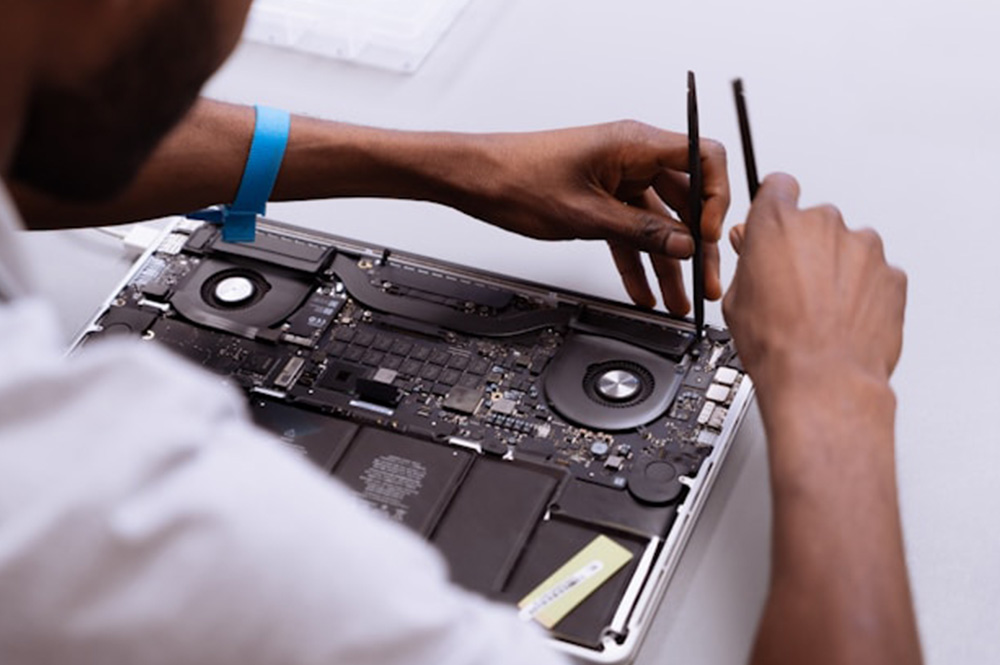
Why Professional Repair Matters for Your MacBook

MacBooks like the Early 2016 model feature compact, integrated components. Improper repair can lead to:

Display or touch issues

Keyboard or power system damage

Connectivity and charging failures

Long‑term reliability problems

Expert repair ensures accurate diagnostics, safe handling, and consistent performance for your device.

Frequently Asked Questions

1. How do I know if my MacBook battery needs replacement?
Common signs include rapid battery drain, swelling, the MacBook not charging, or unexpected shutdowns. Our service center performs battery health diagnostics to determine if replacement is needed.

A cracked, flickering, or blank display can be replaced safely at a professional service center. We perform full display assembly replacement, calibration, and post-repair testing to ensure proper functionality.

Yes, accidental spills or liquid exposure can often be repaired. Our technicians inspect internal components, clean corrosion, and restore affected parts to prevent long-term damage.
Yes. USB‑C port issues such as looseness, intermittent charging, or power detection problems can be repaired by port cleaning, inspection, or replacement. Power and data functionality are tested after repair.

MacBook 2016 features a compact and tightly integrated design. Professional repair ensures accurate diagnostics, safe handling, and restores display, keyboard, battery, USB‑C, and internal systems without risking long-term damage.

What do I get from my MacBook repair?

Call Us for Apple Door Step Support

We provide a door step service for your MacBook repair and service at dhoa, so no matter where you are, there is no excuse to not choose Apple Service and Repairs Center Way To Fix MacBook repair service in qatar

100% Quality Parts

Our parts are of the highest quality and this allows us to offer you a limited warranty on the device for all parts, except the battery

No Minimum Services Charges

Diagnosis of your device is absolutely free of cost and there are no hidden charges whatsoever, for door step service contact us to get your device fixed.

Apple Premium service Centre

Apple Service and Repairs Center Way To Fix is the fastest and the best rated service provider for all Apple Service in Doha and Qatar. Select the device and the issue you wish to get repaired and watch how we bring your device back to life!

×