
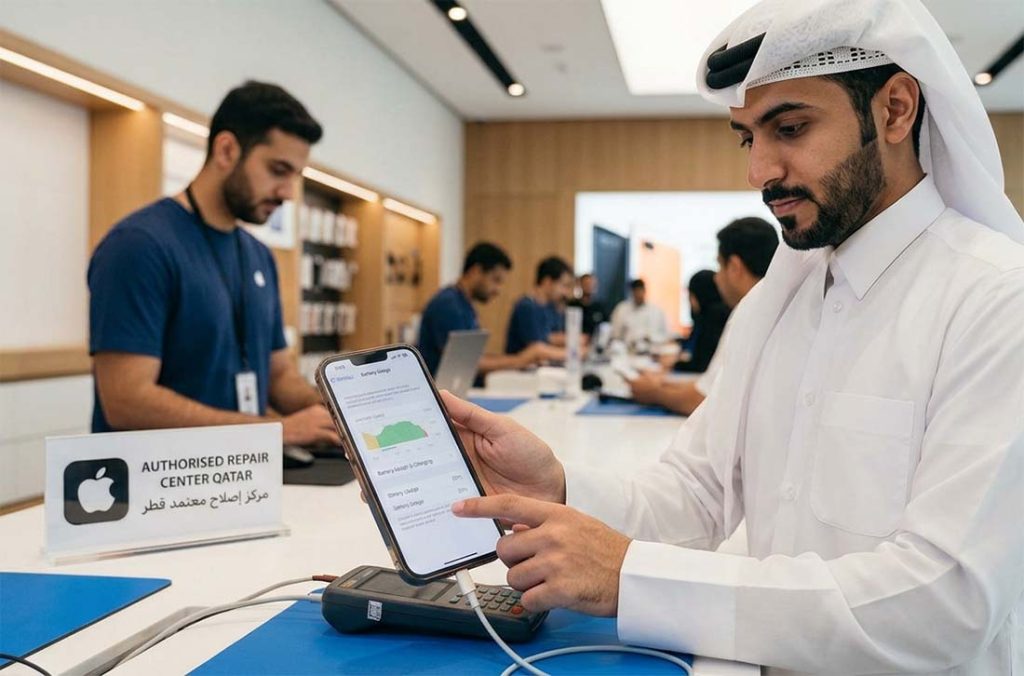
A noticeable drop in battery life after installing iOS 27 does not, by itself, mean the battery has failed.
An iPhone can continue running update-related processes in the background after the installation is complete. That extra activity may use more power than usual for a few days.
The more useful question is what happens after that initial period: does battery life settle down, or does the phone continue losing charge much faster than it did before?
Why Does Battery Life Drop After an iOS 27 Update?
Start with Settings > Battery.
It shows where the power is going, which is more useful than assuming the update itself is responsible.
Background app activity, heavy mobile-data use, screen brightness and update-related system processes can all increase consumption. An older battery may make the difference more obvious because it already has less usable capacity than when it was new.
A battery replacement will not solve abnormal power use caused mainly by software or an app. Before replacing the battery, it helps to rule out software activity and other hardware issues through a diagnostic test at an Apple repair center in Qatar.
How Long is Battery Drain Normal After Updating?
There is no reliable rule that every iPhone should return to normal within exactly 24 or 48 hours.
A few days of increased consumption after an update can occur while background activity settles.
If the battery is draining fast after iOS 27 several days later, check whether the same apps are consistently responsible and compare the phone’s runtime with what you normally get from it. One bad charging cycle tells you very little.
4 Signs the Battery May Actually Need Attention
Pay closer attention if Battery Health displays Service, the phone starts shutting down while charge remains, or the percentage falls unusually quickly without heavy app use. Battery life that remains clearly worse several days after the update also deserves investigation.
Battery Health is a useful starting point, but it is not the whole diagnosis. The Apple repair specialists in Qatar can check whether poor runtime is coming from battery deterioration, software activity, or another fault rather than treating every drain complaint as a replacement job.
What to Check Before Replacing the Battery
Check Battery usage first. If one app is consuming far more power than expected, update it and monitor the phone again.
Also check available iOS updates, background app activity, screen brightness and network use.
Low Power Mode can reduce power consumption temporarily, but it does not tell you whether the battery itself is healthy.
Charging problems, display usage, weak network conditions, and software activity can also produce very similar symptoms.
When Should You Get the iPhone Checked in Qatar?
If the drain remains abnormal after several days, Battery Health reports Service, or unexpected shutdowns begin, it makes sense to have the battery condition checked.
For iPhone service in Doha, the useful first step is identifying whether the battery is actually deteriorated or whether something else is consuming the charge. A proper check helps confirm whether the battery is actually the cause before replacement is considered.
Book an iPhone battery check in Doha before deciding on replacement.
Frequently Asked Questions
Does iOS 27 damage an iPhone battery?
Faster battery drain immediately after an update is not proof that iOS 27 has physically damaged the battery. Post-update system activity can temporarily increase power use.
Should I replace my battery immediately after updating to iOS 27?
Usually not on battery drain alone. Monitor the phone for a few days, check Battery usage and review Battery Health before deciding on replacement.
Why is my iPhone battery draining overnight after iOS 27?
Background app activity, network use, update-related processes or an ageing battery may be involved. Settings > Battery can help narrow down what used the power overnight.
What does “Service” under Battery Health mean?
It indicates that the battery needs attention and may need replacement. The exact wording and behaviour should be verified against Apple’s current iOS 27 support documentation.
Can an iOS update expose an already weak battery?
It can make poor runtime more noticeable if post-update activity temporarily raises power demand, but that alone does not establish that the battery is defective. Battery Health, actual runtime and other symptoms should be considered together.